Your dealership connection on every customer’s phone.
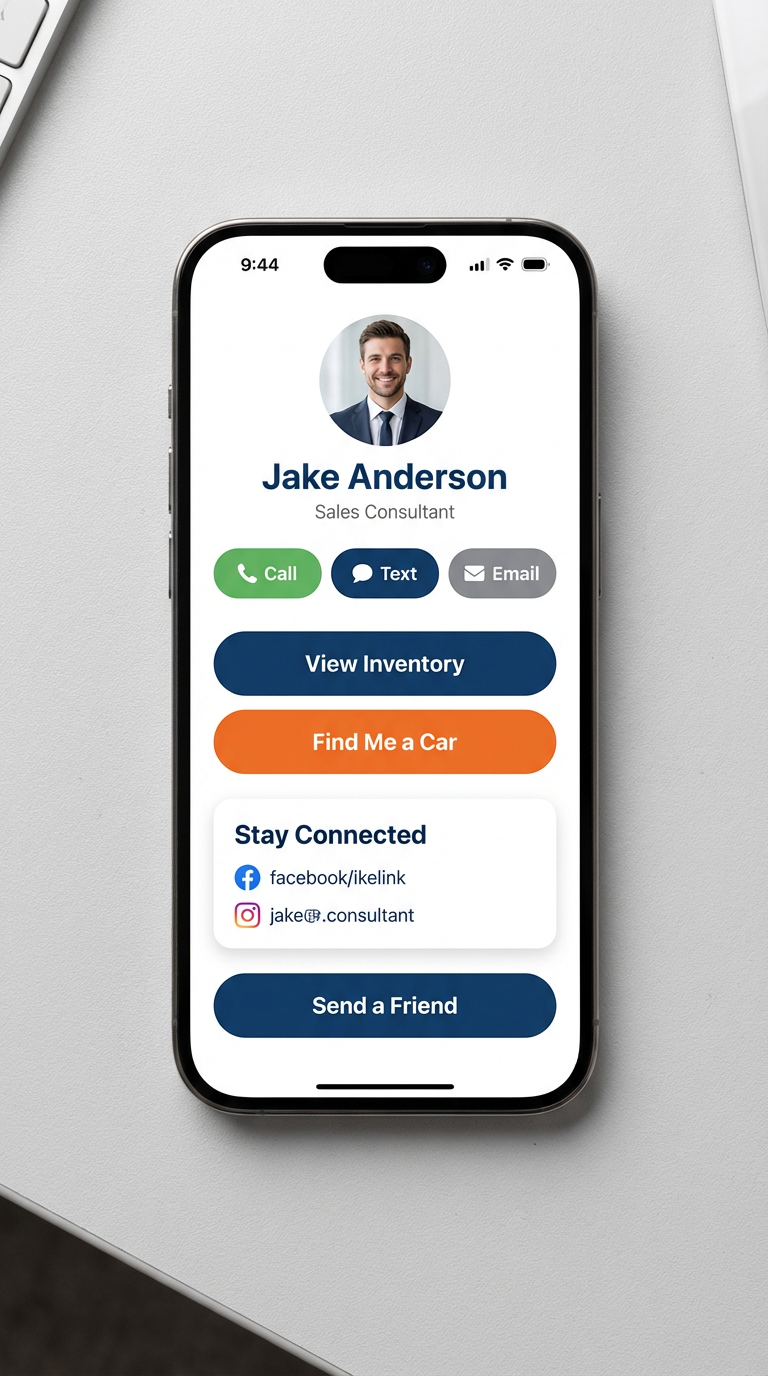
Branded to the dealership and personalized to the assigned salesperson. Every tap is a direct line back to the person who sold them the car.

Get service reminders, birthday wishes and new inventory drops — all from Jake.
Every feature your customer needs — none they don’t
Designed to remove friction between you and your customer. Nothing more.
One tap to dial your cell.
Personal SMS, never a call center.
Pre-filled to your address.
Live feed from your dealership.
Custom vehicle request form.
Updates, deals, service reminders.
Referrals land directly in your app.
Birthday, lease-end, new arrivals.
Built for Your Dealership. Personalized for Every Salesperson.
Every salesperson receives their own personalized MyCarPro experience while your dealership keeps complete ownership of the platform, customer connections, reporting and administration.
If a salesperson leaves, simply assign that MyCarPro profile to another salesperson without losing the customer relationship or dealership data.
- Personalized for every salesperson
- Owned and managed by your dealership
- Easily reassign salespeople anytime
- Customer relationships stay with your dealership
- Managed through the MyCarPro Dealer Command Center
The customer never loses their dealership.
If the assigned salesperson leaves ABC Motors, the customer keeps the same app, the same home-screen icon, the same buttons and their full history. Only the contact card updates — the relationship stays with the dealership.
ABC Motors
Illustrative Demo Dealership
Your contact
Jake Anderson
Senior Sales Consultant · ABC Motors
Inventory, requests, referrals and past history stay exactly where they were.
- The dealership app and home-screen icon stay the same
- Call / Text / Email buttons keep working — now routed to the new rep
- Inventory, saved requests, referrals and history are preserved
- The customer does not need to reinstall anything
Sales Connected. Dealer Controlled.
About the home-screen icon
The icon a customer taps is the dealership’s icon — not any individual salesperson’s. Because it is dealership-level, it stays the same when the assigned salesperson changes, and the customer never has to reinstall.
On iPhone (Safari / “Add to Home Screen”)
iOS saves the icon when the customer first adds the app to their home screen. If the dealership later changes the icon, an already-installed icon generally updates only when the customer removes and re-adds the app. New installs pick up the new icon right away.
On Android (Chrome installed app)
Android can refresh the installed icon and name automatically after the dealership updates them, though it may take some time or a reopen to appear. New installs show the new icon immediately.
Exact behavior depends on the customer’s device, browser and OS version. In all cases, a salesperson change does not require the customer to reinstall — the rep details live inside the app.
Your app, branded, tested and delivered.
Send us a photo and a few details. We’ll build, test and ship it to your customers.
Start my app